




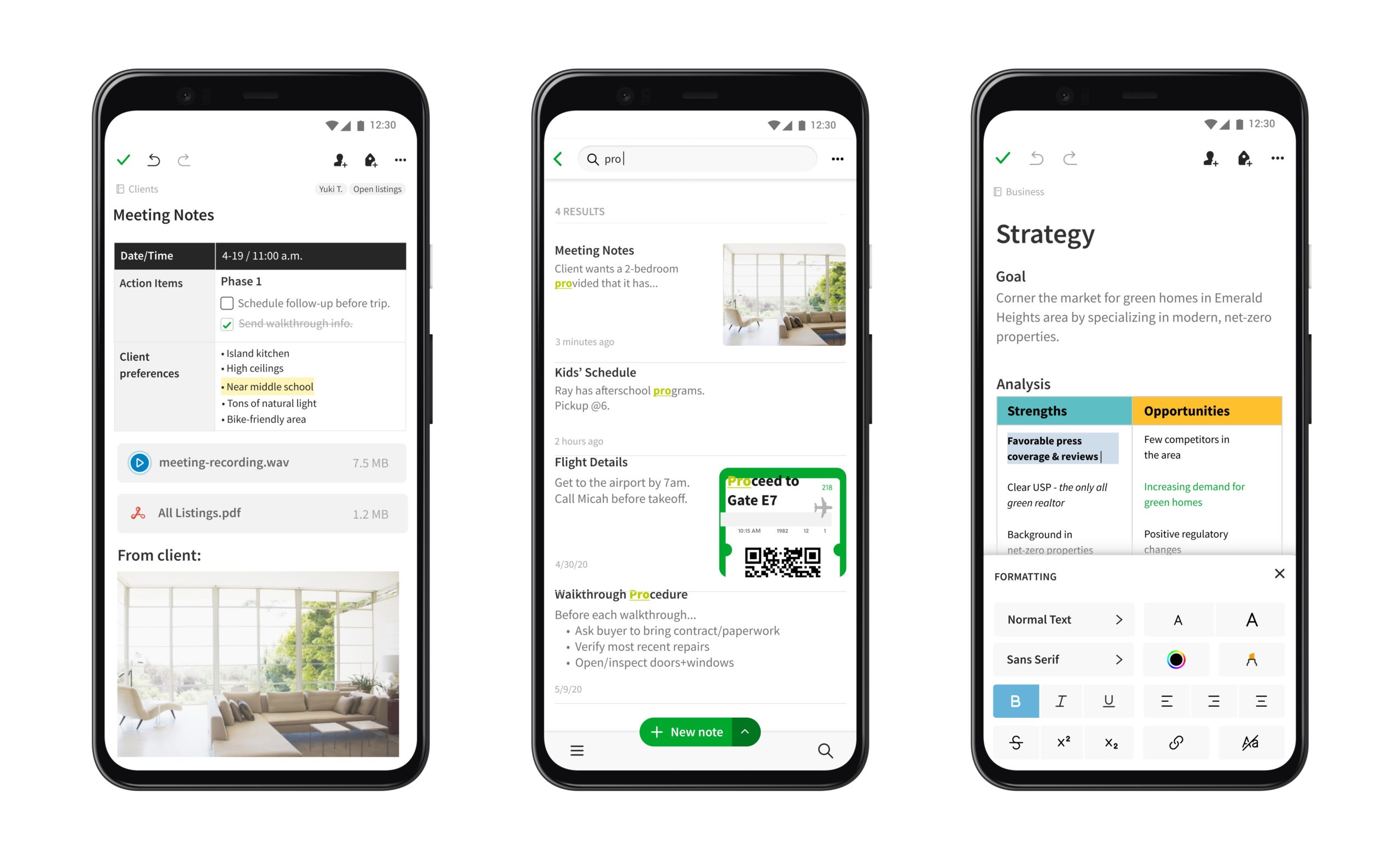
Designing for mobile devices is not simply taking the content and design from a desktop and shrinking it down to fit on a smaller screen. It requires a totally separate approach, considering the user experience when someone is using a mobile device on the go, with limited attention and often distractions in the environment.
Mobile Users Aren’t Just Desktop Users on a Smaller Screen
The most fundamental error most teams commit is regarding mobile optimization as a visual task. Adjust the layout, adjust the images, and that’s it. However, mobile users have a different mental attitude. They are in-between activities. They’re unfocused. They frequently use one thumb to operate their phone while using the other to do something else.
This context alters everything concerning how a journey must be developed. A mobile user entering your funnel isn’t at a desk with a determined purpose. They are on the subway, at a stand, or watching TV. The design must integrate the notion of constrained attention, screen space, and the actual limitations of thumb use. When you design around this truth rather than neglecting it, the drop-off rates will also decrease.
Match Your Traffic Acquisition Channels to the Mobile Experience
A well-designed mobile landing page will perform optimally only if the traffic reaches it contextually aligned. If the ad format and the destination don’t match, be it jarring creative, mismatched messaging, or a landing page that loads slowly after a fast-loading ad environment, then you lose users before the page even had a chance to convert.
That’s why channel selection matters as much as page design. Using push ads traffic is one such approach that naturally fits mobile-first funnels. The push notification arrives directly to the user’s lock screen or notice panel with an intent-matched, typically short message. If the landing page matches the tone and offer from the notification, the transition feels native rather than forced. There’s no context collapse between where the user was and where they’re going.
The same is true for any other traffic source. The ad creative, the messaging, the visual language, and the loading experience of the page needs to feel like one. When they don’t, the moment of friction is between the click and the landing page, before the user has even seen your funnel.
Design Around the Thumb, Not the Cursor
Based on Steven Hoober’s thumb-zone design research, there are parts of your phone screen that are easiest to reach, some that are a stretch, and some that are nearly impossible without shuffling the device in your hand. The bottom-center of your screen is easy. The top corners are a stretch. The top-center is reachable, but not ideal. Most of your screen real estate, especially the top half, is in the impossible zone.
If you’re not used to thinking about your phone other than as a display for your design, this might seem illogical. But most interfaces, designed at a desk on a giant monitor, by people holding a mouse in their hand, put critical interactive elements near the top and corners of the screen. In fact, some of the most important places on your mobile layout are exactly the wrong spots.
A primary CTA belongs at the bottom of the viewport because that’s where your thumb is. A navigation menu that appears as a hamburger in the top-left requires a full grip adjust because of that, even a tiny one, your thumb is already in the wrong place. A form’s submit button near the top isn’t a crisis, but it’s going to be a stretch or one-handed mode for the user.
Reduce Cognitive Load Before Addressing Visual Design
Cognitive load refers to how much mental processing power it takes to read and comprehend the screen and decide what to do next. Since mobile screens are about a third the size of a desktop monitor, the information density is enough to kill conversion rates on mobile three times as fast. A layout that presents too much information at once that may work on desktop simply won’t on mobile, you must start over to optimize for smaller screens.
The better answer is progressive disclosure. As with forms, accordions or tabs work for secondary content. Only show the deepest, most detailed, least important content as collapsed by default in an accordion, or hidden behind a tab. Not everything needs to get thrown at the visitor all at once because they have a thin ribbon in their hands. Let them control how much they see. Let them request the next piece of information.
Speed is the Single Biggest Conversion Lever You Have
Most teams treat page speed as a technical concern that lives in the engineering backlog. In reality, it’s a UX problem with a direct line to revenue. According to Google’s mobile speed research, the probability of a user bouncing increases by 32% when load time goes from 1 second to 3 seconds, and reaches 90% bounce probability at 5 seconds.
That’s not a statistic about impatient users. That’s a statistic about a funnel with a hole in it.
The fix requires actual technical work: image compression, code minification, lazy loading for below-the-fold assets, and eliminating render-blocking scripts. Core Web Vitals, specifically Largest Contentful Paint (LCP) and Cumulative Layout Shift (CLS), give you measurable targets to work against. LCP should land under 2.5 seconds. CLS should stay below 0.1 to prevent layout jumps that cause accidental taps and user frustration.
Speed optimization isn’t a one-time project. It’s ongoing, because every new feature added to a page has a load cost that needs to be measured and managed.
Eliminate Form Friction at Every Step
Forms are usually the point in the process where customers drop out. Having to fill out a barrage of fields and confirm your existence at checkout can be a lot for users. Requiring them to do so on a small mobile screen adds insult to injury.
The solution is twofold really. Firstly, don’t ever spawn a form with more than one field asking for user input. One-question forms, one-field prompts, one-indication pages feel way more manageable every step of the way. The second part of the answer is to remove forms from your mobile checkout experience wherever it makes sense. Do you need the user’s e-mail and password for a first-time purchase? Google, Facebook, and other social logins handle that. Does that purchase have to be done with a credit card? Google Wallet, PayPal, and Apple Pay replace your keyboard with your thumb.
Build For Sessions That Get Interrupted
Mobile users often do not complete sessions in a single run nearly as frequently as desktop users do. A session gets interrupted by a phone call, a notification, needing to grab something from across the room, or any distraction. If the product they had in the cart is now gone when they return 45 minutes later, or if the form is empty and needs to be re-entered, many people will just leave it at that.
Auto-saved carts and persistent sessions are not just features to make life easy; they’re re-entry doors for high-intent users who were pulled away. Re-entering the funnel midway creates a solid chance these users are going to jump through the last hoops and complete the purchase or the lead form.
Progress bars and state changes are also ideally reducing the abandon rate. If a person sees that they have filled 60% of a lead form, they are more likely to complete it than if they have no idea how much they have filled out at this point. If a person saw that the submit button changed when they tapped, they aren’t going to hit ‘submit’ just to find out whether the app thought they did. These are tiny steps that reduce unnecessary drop-offs. A ready-to-re-submit button can prevent a user’s quick leave as well.
Re-Engage Dropped-Off Users With Well-Timed Messages
Even if you have a perfectly optimized mobile funnel, you’re not going to convert 100% of those sessions. People will still drop off before checkout. They’ll bail on the product category and return to the main tab. They’ll get halfway through account creation and then back out. The only question is, do you have anything in place to get them back?
Used in the right quantity and context, push notifications are great for this. An abandoned cart notification three hours after the fact, the amount of time required to elapse before the visitor should be considered lost, is likely to reach a user who abandoned a cart but hasn’t yet lost the intention to buy the item in it. A notification will reach them, exposing them again to the desired stimulus. Note, not just a “come back” prompt. The name of the item they almost bought.
The other keyword is non-intrusive. Overly aggressive re-engagement campaigns that fire off too many messages in quick succession usually do more harm than good, especially with mobile where you’re training users either to automatically dismiss notifications or block them outright. One message at the right time is worth five in-your-face messages. Or annoying pop-ups with impossible to find cross symbols. A lot of those too.
A sticky CTA acts similarly to this, though within a “session” of sorts. If the “Complete Purchase” or “Book Now” button is always visible and accessible right there in the viewport, the user never needs to search the page for the next step. It’s right there. One little tap away.
The Mobile Funnel is a Behavioral Problem, Not a Layout Problem
To reduce the number of users who abandon your mobile site or app, you need to view the design from a behavioral perspective rather than a visual one. Physical limitations, such as our thumbs, cognitive limitations, such as short-term memory, and environmental limitations, such as interruptions all influence whether a user abandons a task on their mobile or not. Design that accounts for those realities converts. Design that ignores them doesn’t, regardless of how clean it looks on a desktop preview.
Every friction point removed, a form field eliminated, a payment step replaced by a single tap, a load time reduced by half a second, is a compounding improvement. Small individually, they add up to a funnel that feels effortless rather than effortful. And on mobile, effortless is the only standard that holds.